For independent restaurants
Online orders, straight to your kitchen.
Your own ordering site in your colors, and a kitchen screen that chimes until someone says yes. Nothing for customers to download.
Customers pay online by card, into your own Square or Stripe account. Your counter register stays as it is.
How an order gets to your kitchen
- They orderFrom your site on their phone, built exactly how they want it, and paid.
- The tablet chimesAnd keeps chiming until someone taps a ready time.
- They get a text"Confirmed, ready around 6:20."
- You make itEvery choice, every NO onions, every allergy in red.
- Tap ReadyThey get a "ready for pickup" text.
- Picked upToday's sales are on your phone.
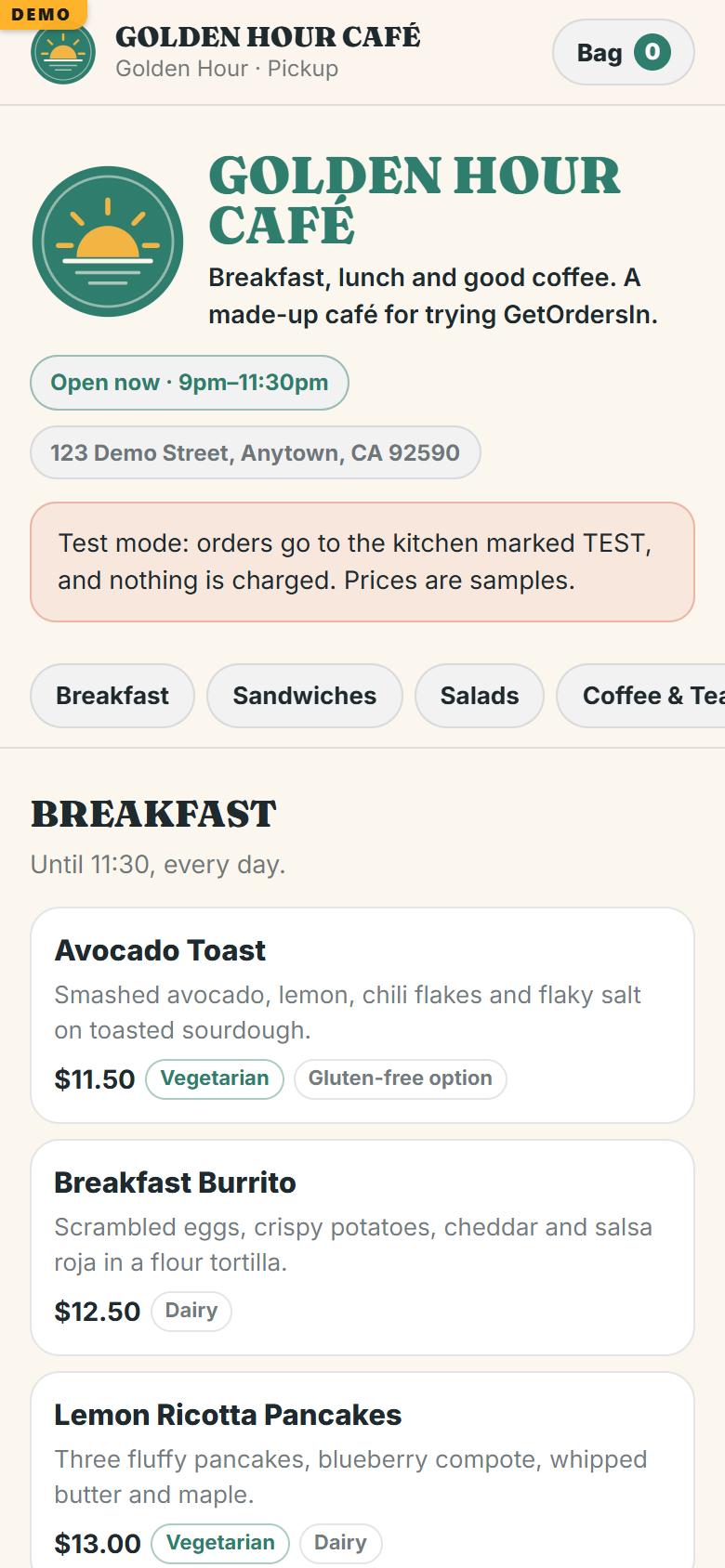
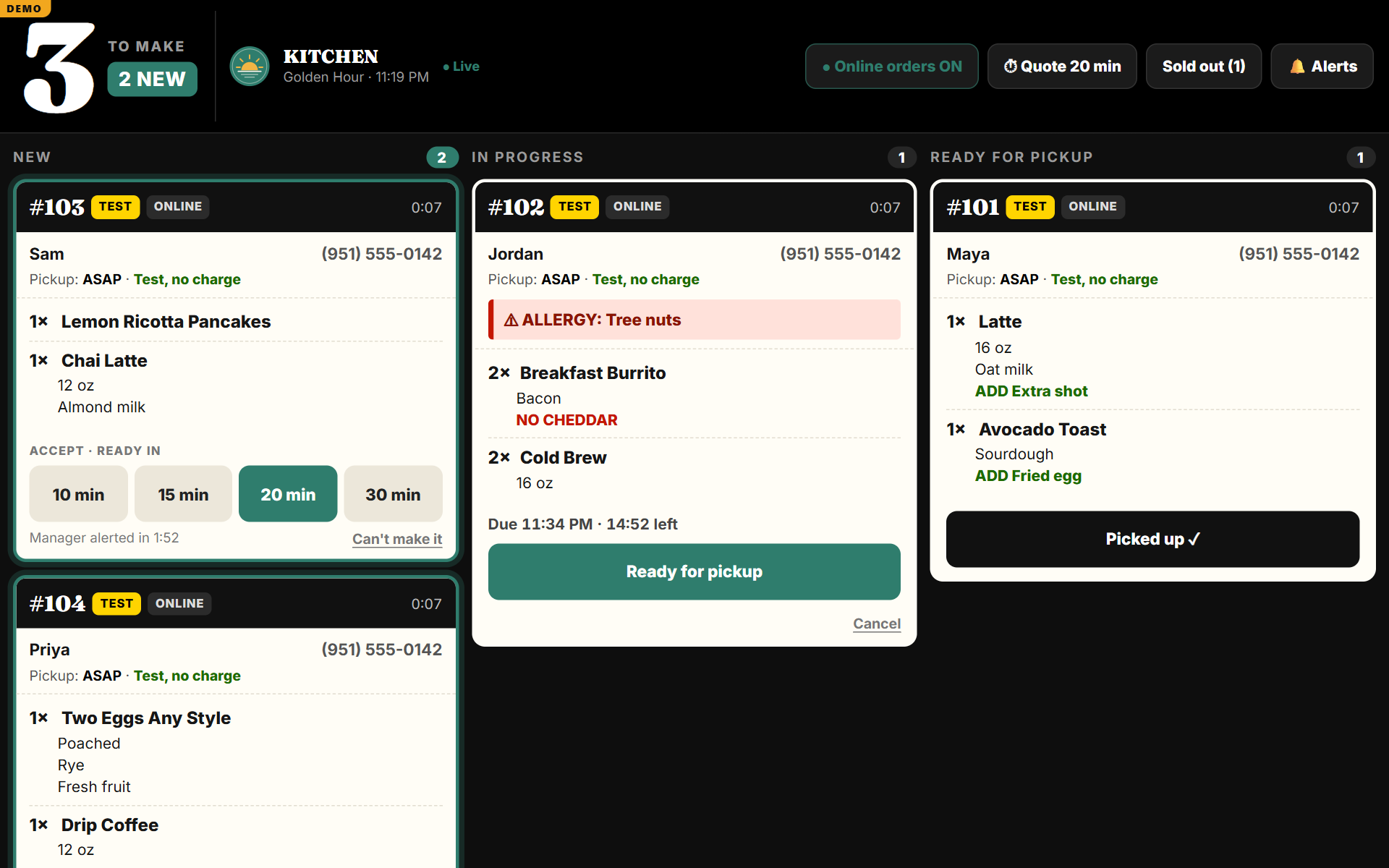
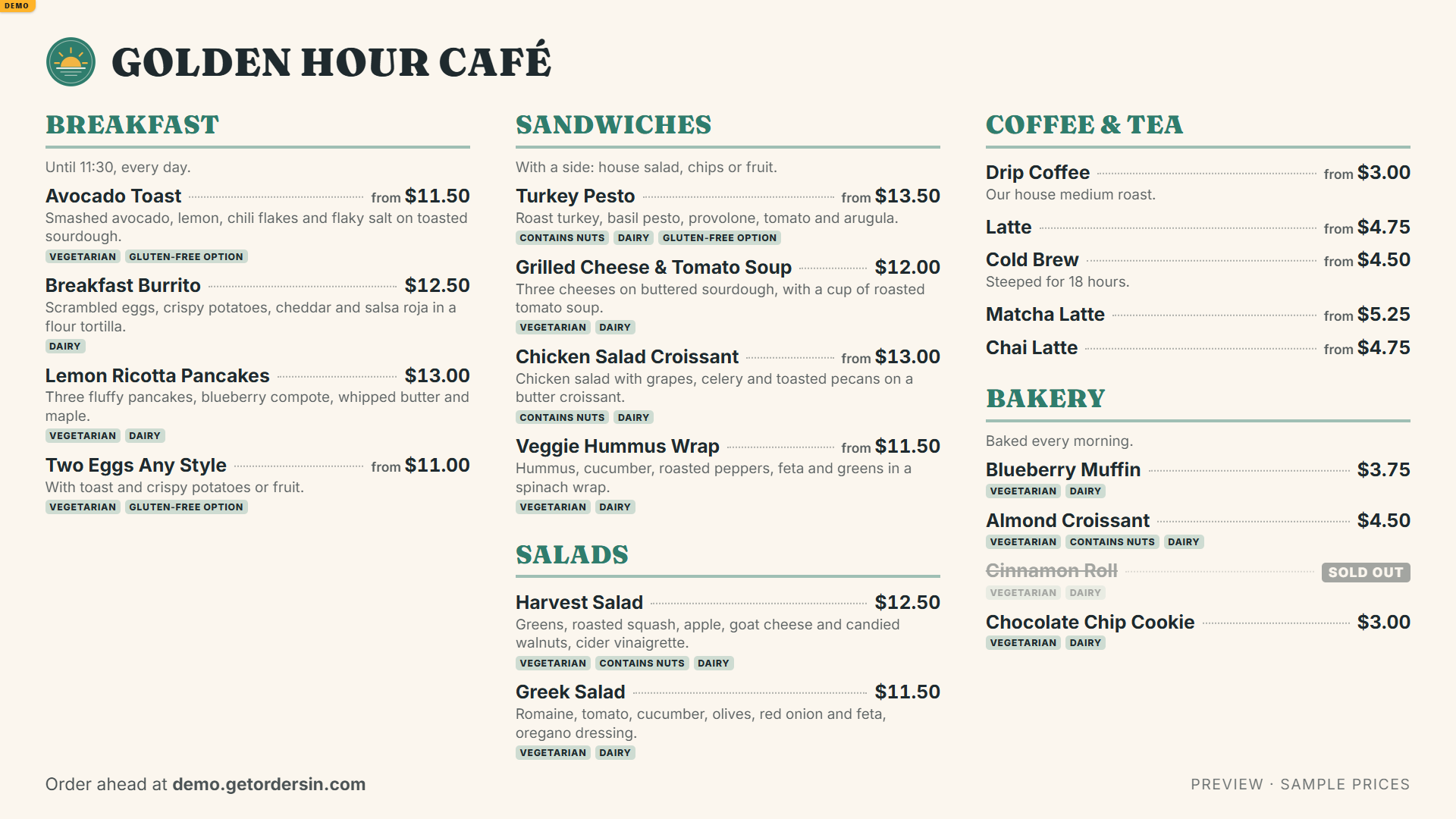
Real screens from our demo café: try it yourself.
What you get
A kitchen that can't miss an order
The tablet chimes until someone accepts, flashes the screen, and shows a big count of orders to make. If nobody answers, a manager gets a text. Add a kitchen printer and tickets print on their own: allergies in reverse, the number big enough to read across the line.
Custom orders, done right
Proteins, extras, "no onions", combos whose choices change with what's picked. Every order is priced by us, never by the customer's phone.
Prices only you approve
You confirm every price before real orders. Managers' changes can wait for your OK, and every change is logged.
Paid to your own account
Online payments go to your own Square or Stripe account and on to your bank. We never hold your money.
Texts your customers
"Confirmed" and "ready" texts, each starting with your restaurant's name.
Run it from your phone
Today's sales, prices, hours, sold-out items, your team. Pause orders when you're slammed (it asks first, so it never happens by accident).
No app to download
Customers open your link and order. Regulars can add it to their home screen.
One flat monthly fee
- Your ordering site, in your colors, at your own address
- Kitchen screen, texts, reports, and every update
- Unlimited orders, with customer texts included up to 1,000 orders a month
- No long contract: 30 days' notice to stop
- Help by text or email, answered within one business day
Setup $1,000, once: we build your menu and your site, set up the kitchen tablet and train your team.
Delivery apps keep 15 to 30% of every order.
GetOrdersIn is a flat monthly fee, starting at $250. Card processing is your payment company's standard rate (Square or Stripe), paid to them.
Talk to usWhat moving orders off the apps keeps
The line is $250, the monthly fee.
An example with a $30 order and a 25% app cut. Your own numbers decide it.
Questions owners ask
Do my customers need to download an app?
No. They open your link, order, and pay. If they order often they can add it to their home screen, and it opens like an app.
We use Cash App at the counter. Does that change?
No. Your counter stays as it is. Many "Cash App" counters are really Square, and online orders can be paid into that same Square account, so they show up in the same reports.
What do we need in the kitchen?
A tablet on a stand (we'll recommend one and set it up) and Wi-Fi. A kitchen printer is optional. If a tablet breaks, a new one is quick to set up: nothing is stored on it.
Can I change prices myself?
Yes, from your phone. You can let managers change them too, with your approval or without. Every change is logged.
What if the internet drops?
The kitchen catches up the moment it reconnects, and no order is lost. If the kitchen tablet goes offline, your site stops taking orders by itself and tells customers to call, so nobody's order goes unseen.
Who owns the customers and the money?
You do. Payments go to your own Square or Stripe account. Your menu, orders and customers are yours, and we never sell or share them.
Want to see it with your menu?
Tell us about your restaurant. We'll set it up with your menu and colors and show you on your own phone.